Overview
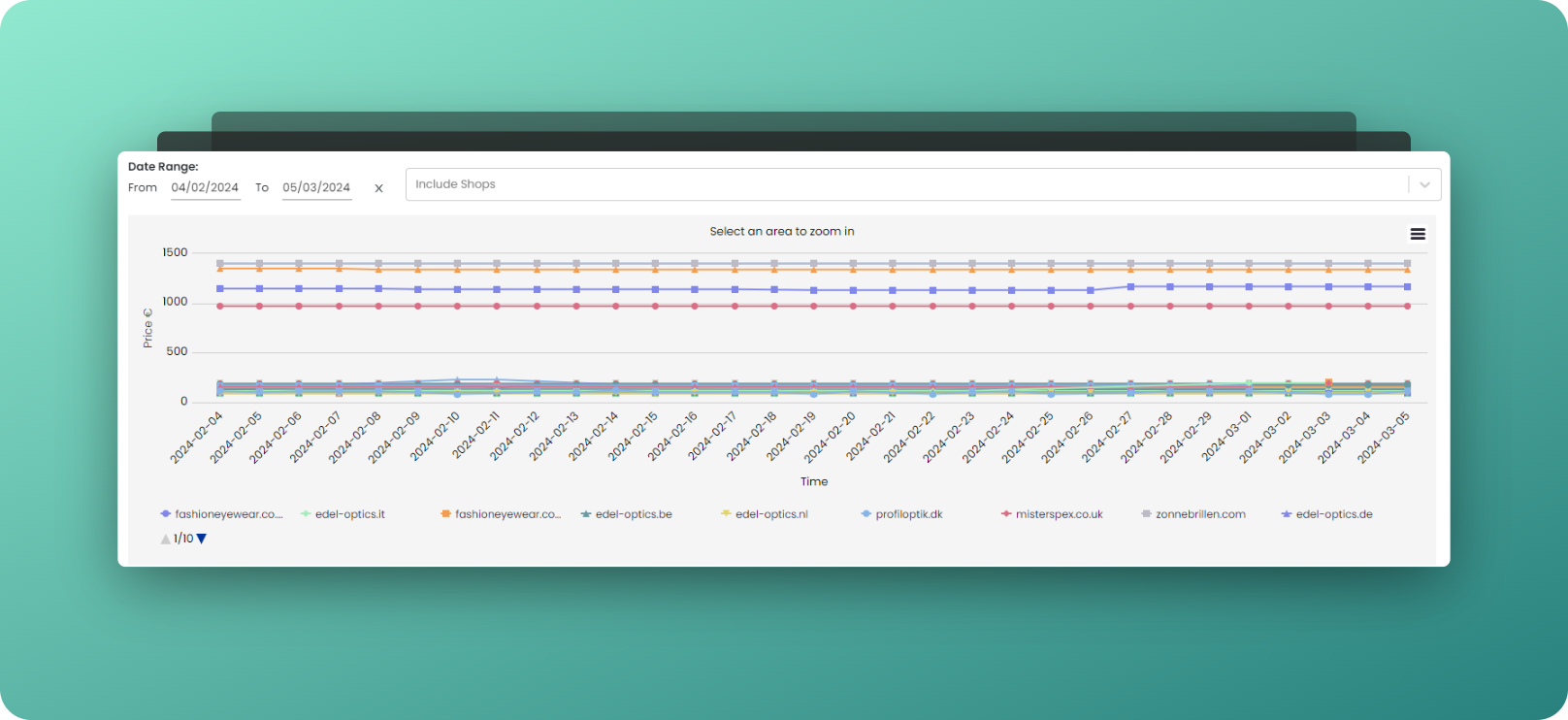
Market History allows you to explore the historical pricing of your monitored shops for a specific product. It enables a comprehensive view of how prices fluctuated over time, giving insight into market trends and patterns.
Where to find
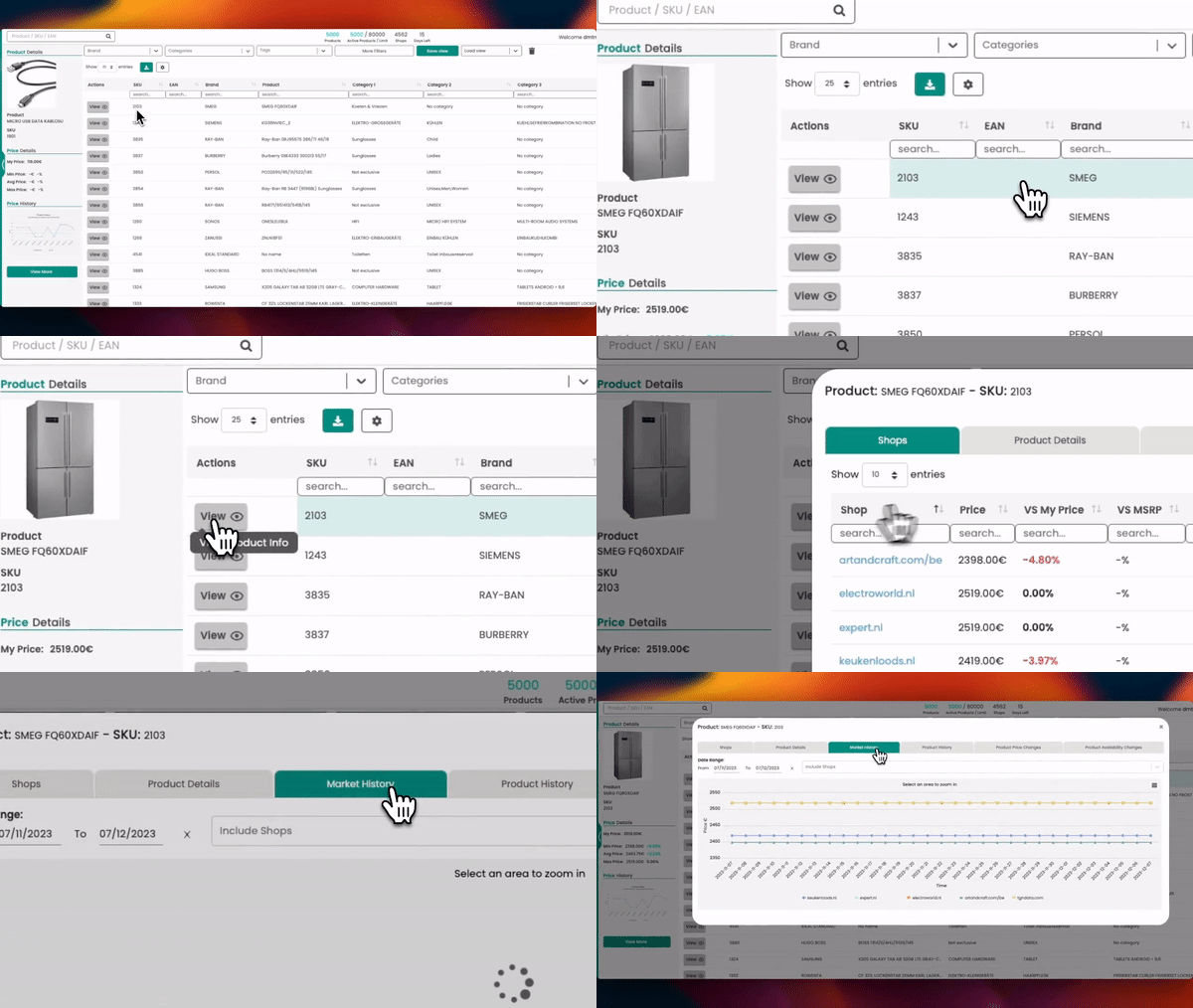
Choose the product you want and navigate to View > Market History.
What you see
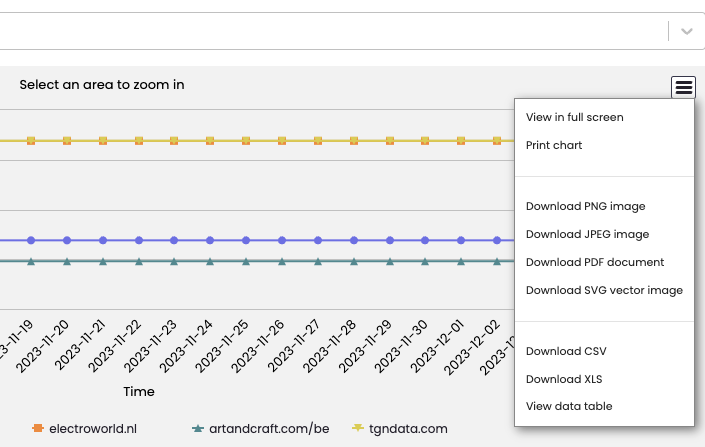
The graph showcases price fluctuations over time for the monitored products sold by the selected shops. Each shop is represented by a distinct colored line on the graph. The Y-axis represents the price, and the X-axis represents the timeline. Data points on the graph indicate the product's price on specific dates.
How to use
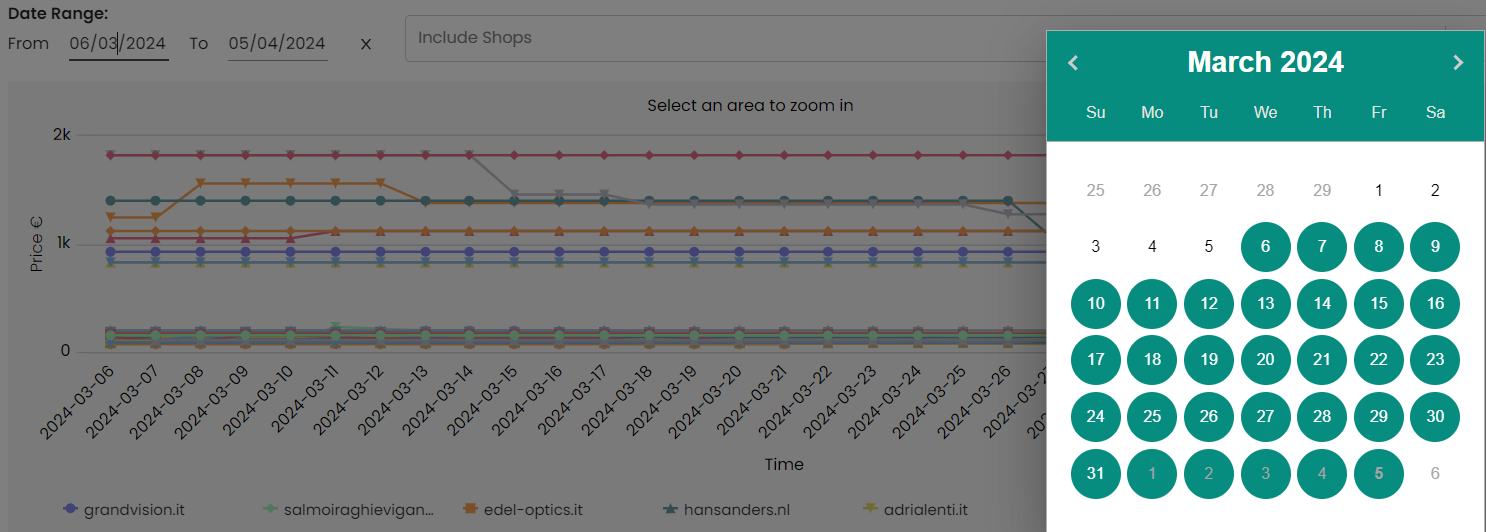
- Customize Time Period: Tailor your analysis by selecting the time period you want to see. Use the "From" and "To" date selectors to focus on the most relevant data to your needs. By default, the chart shows the last 30 days.
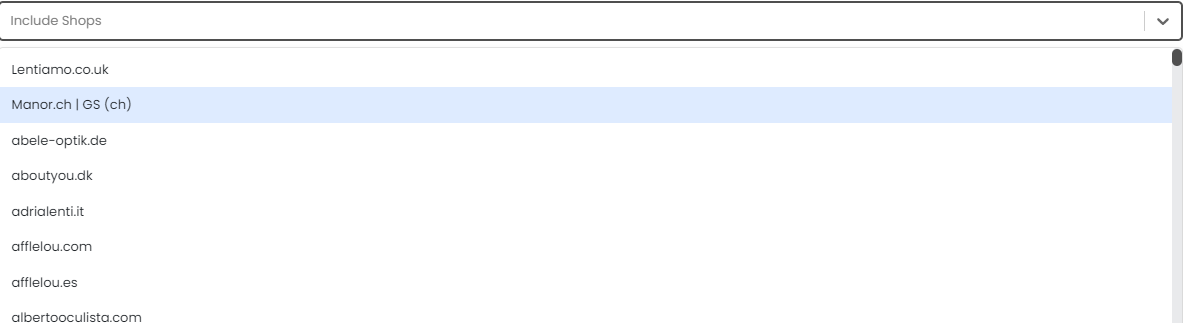
- Select Shops: Determine which shops you wish to analyze in the "Include Shops" field. Their pricing history will be displayed, allowing you to track their price changes in relation to each other and over time.
How to download the data
You can download the chart in PDF or PNG format if you need to present the data outside of the tgndata platform. Additionally, you can export a CSV or XLS file for more detailed analysis and integration with other tools/systems.
Was this article helpful?
That’s Great!
Thank you for your feedback
Sorry! We couldn't be helpful
Thank you for your feedback
Feedback sent
We appreciate your effort and will try to fix the article