Live Price Changes is a real-time feed of price changes across the shops you monitor.
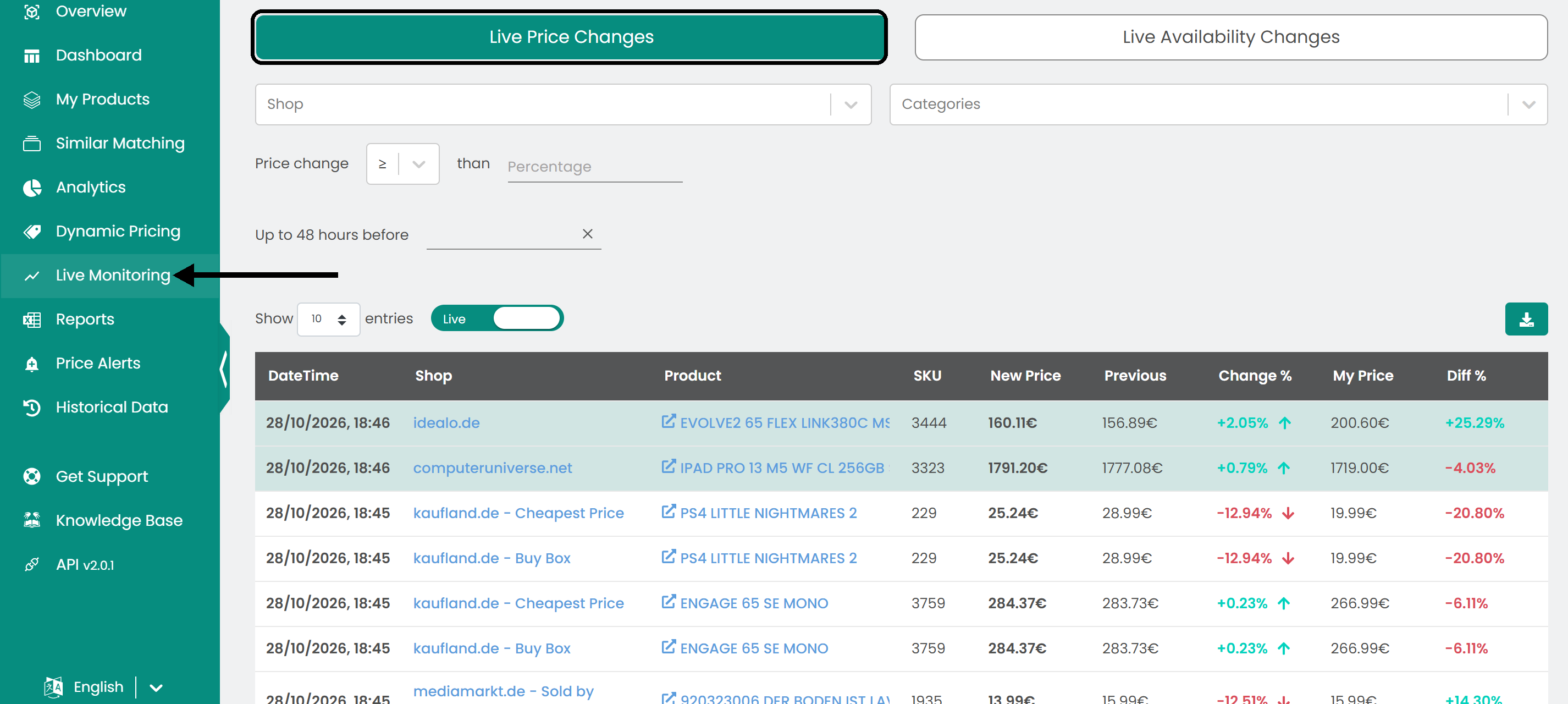
Click Live Monitoring in the left sidebar, then open the Live Price Changes tab.
Read the table
- Live / Paused switch: At the top of the page. While Live is on, the table refreshes automatically. Switch to Paused to stop the updates.
- Table: The date and time of the change, the shop, the product, the SKU, the new price, the previous price, the percentage change, My Price and the percentage difference from your price.
Filter the data
Select the shop, the category or the price change parameters you want to see.

Use the date and time picker to see the price changes that happened up to 48 hours before a moment you choose.

With the switch on Live, the price changes appear as they happen.

Export the data
To use the data elsewhere, click the download button to save it as a CSV file.

Was this article helpful?
That’s Great!
Thank you for your feedback
Sorry! We couldn't be helpful
Thank you for your feedback
Feedback sent
We appreciate your effort and will try to fix the article