Live Availability Changes is a real-time feed of availability changes across the shops you monitor.
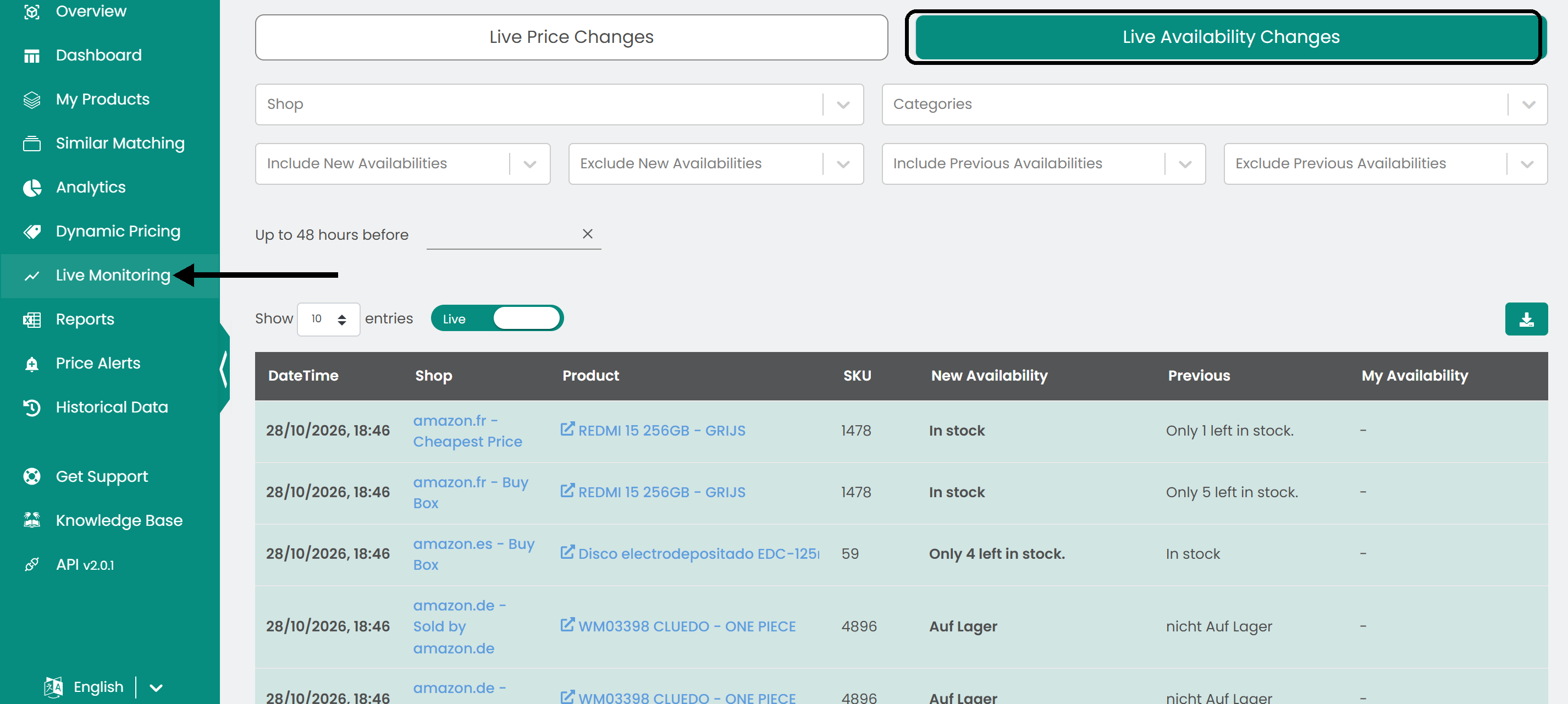
Click Live Monitoring in the left sidebar, then open the Live Availability Changes tab.
Read the table
- Live / Paused switch: At the top of the page. While Live is on, the table refreshes automatically. Switch to Paused to stop the updates.
- Table: The date and time of the change, the shop, the product, the SKU, the new availability, the previous availability and your availability.
Filter the data
Select the shop, the category or the availability filters you need. You can include or exclude specific new or previous availabilities.

Choose how far back to show availability changes, up to 48 hours.

With the switch on Live, the availability changes appear as they happen.

Export the data
To use the data elsewhere, click the download button to save it as a CSV file.

Was this article helpful?
That’s Great!
Thank you for your feedback
Sorry! We couldn't be helpful
Thank you for your feedback
Feedback sent
We appreciate your effort and will try to fix the article