Product History shows the average and minimum price of a product across the shops you monitor over time, next to your own price.
In My Products, click View on a product, then open the Product History tab.

Read the graph
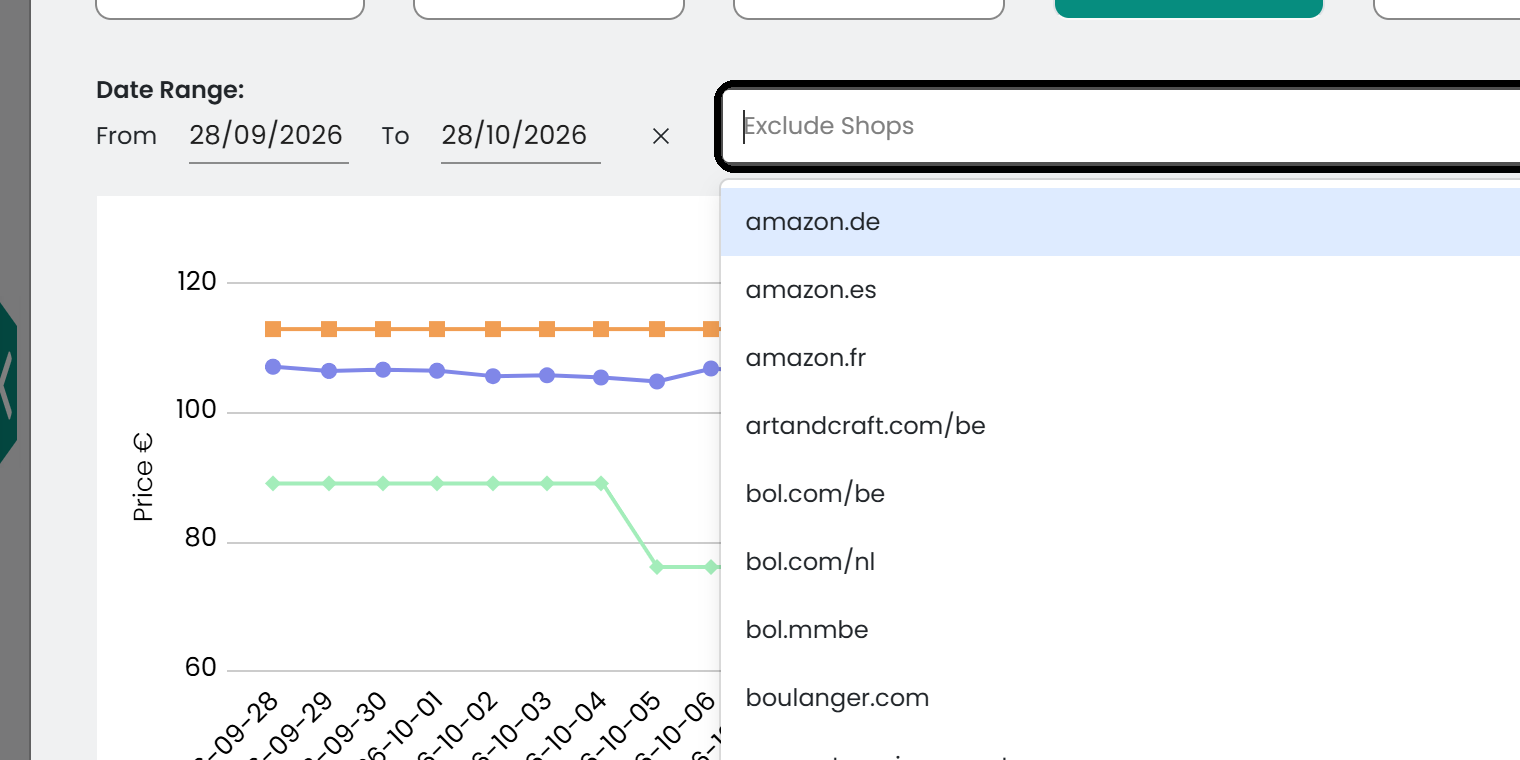
- Average Price: The average price of the product across the monitored shops, for each day.
- Minimum Price: The lowest price at which the product is sold among the monitored shops, for each day.
- My Price: Your own price history, for comparison with the market.
The vertical axis shows the price and the horizontal axis shows the timeline. Data points are plotted at the time they were recorded.
Filter the data
Select a time range with the From and To date selectors.
Note: The default time range is the last 30 days.

To leave shops out of the average and minimum price, select them in the Exclude Shops list. The chart updates with your selection.
Export the data
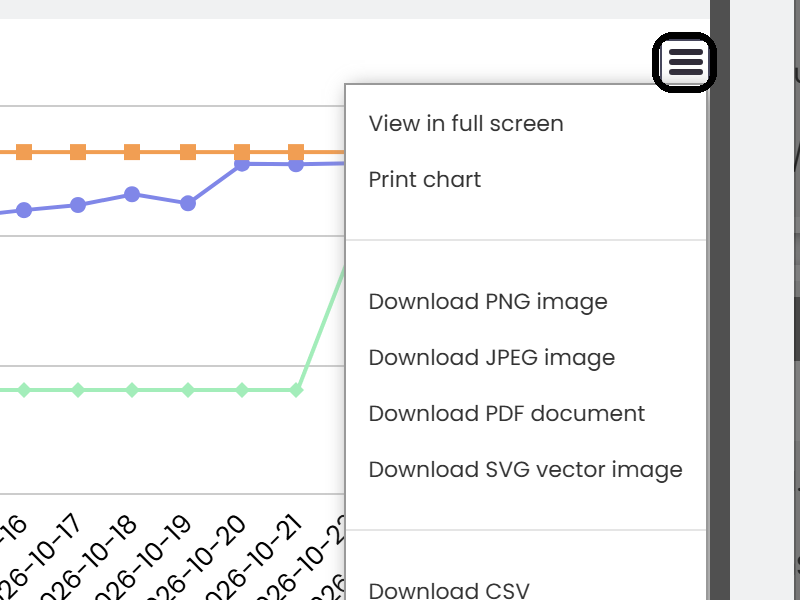
Download the chart as a PDF or PNG file, or export the data as a CSV or XLS file.
Was this article helpful?
That’s Great!
Thank you for your feedback
Sorry! We couldn't be helpful
Thank you for your feedback
Feedback sent
We appreciate your effort and will try to fix the article